
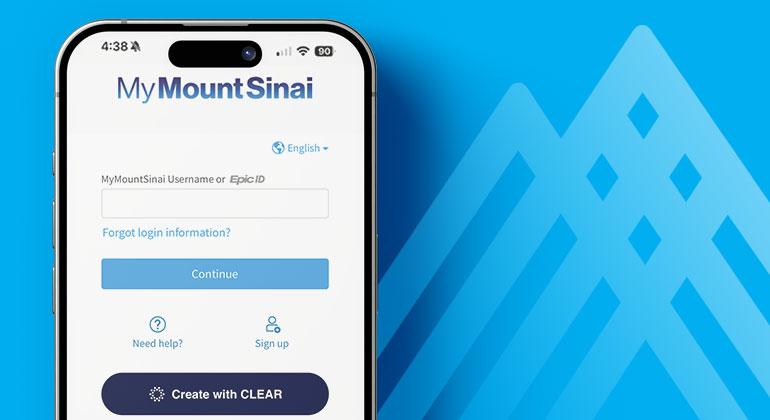
Using CLEAR to Access MyMountSinai
To help make it easier to access your health care information, Mount Sinai offers CLEAR as an optional way to verify your identity. You can use CLEAR to create a MyMountSinai (MyChart) account or reset your password anytime. You can also choose not to use CLEAR if you prefer other methods.
How Do I Register?
If you’re setting up CLEAR for the first time, follow these steps:
- Register for CLEAR
- Take a selfie
- Upload your government-issued ID with your smartphone.
- CLEAR will securely match your face to your ID to create a unique, reusable identity so you can re-verify in seconds using just your selfie.
How do I reset my MyMountSinai password?
After registering, you can reset your Mount Sinai Health System MyMountSinai password using CLEAR. Reset your password.
Remember, CLEAR is not required to reset your password and you may use other options here.
Frequently Asked Questions
Here are some answers to frequently asked questions about CLEAR:
What is CLEAR?
CLEAR is an optional identity verification tool that helps confirm you are the unique employee or patient requesting access to a Mount Sinai account.
Is CLEAR used at Mount Sinai the same process as CLEAR+ at the airport?
No. CLEAR for Mount Sinai uses CLEAR’s identity platform, but it is separate from CLEAR+, the paid membership service used for expedited airport security.
You do not need to have CLEAR+ to use CLEAR at Mount Sinai. The Mount Sinai experience is free and is designed to help patients and employees securely verify their identity.
Patients and employees may choose to use their verified identity in other CLEAR experiences where accepted. Airport lanes require a separate CLEAR+ membership and are not included in the Mount Sinai verification process.
Why is Mount Sinai offering CLEAR?
Mount Sinai will offer CLEAR as an option:
- for employees to verify their identity to reset their passwords, and
- for patients to verify their identity while setting up their MyMountSinai accounts
Mount Sinai chose CLEAR because we heard from our patients and employees that traditional tools to validate identity can be clunky, stressful, and time-consuming. CLEAR provides a simplified and more efficient password reset option for employees and provides further protection against cybersecurity threats that could impact both Mount Sinai and individual patients and employees.
What are the benefits of using CLEAR?
CLEAR is designed to reduce friction while strengthening security. It offers a simple and familiar option that allows you to verify your identity using your mobile device and a government-issued ID, if you choose to use it. CLEAR also provides a secure way of verifying the identity of our patients and employees.
How will my information be protected?
Protecting the privacy and security of patient and employee information is a top priority at Mount Sinai. CLEAR provides a secure, opt-in way to verify your identity:
- Patients and employees may choose whether to use CLEAR. Mount Sinai provides other options to verify your identity and reset your password
- No protected health information is provided to or shared with CLEAR.
- Patients and employees can request deletion from CLEAR at any time.
- Mount Sinai does not store any image data from CLEAR, including the selfie image used to verify identity.
- The information and biometric data gathered by CLEAR is only used to verify employees' and patients' IDs and is not shared with any government agencies.
How do I register with CLEAR?
Initial verification happens in real time and only takes a minute or two. After entering registration information, you will use
- a government-issued photo ID, and
- a mobile device to take a selfie
Once registered, future identity verification typically takes just seconds.
Is registration with CLEAR optional and free?
Yes. Registration with CLEAR is optional and provided at no cost to patients or employees.
If CLEAR is optional, are there alternative ways to verify my identity?
Yes, both patients and employees may choose alternative identity verification methods instead of CLEAR.
- For patients, you may confirm your identity in person during your office visits.
- For employees, you may use existing organizational verification processes supported by Mount Sinai’s Digital and Technology Partners Department.
What information do I need to provide to use CLEAR?
The following information may be entered by you (whether an employee or a patient) at the time you choose to register with CLEAR:
- Information from your government-issued ID
- Phone number and email
- A selfie taken using your mobile device
This information is used only to verify your identity and protect access to Mount Sinai systems.
Will I need CLEAR to enter Mount Sinai facilities?
No. CLEAR will never be required for entry by either employees or patients:
- Employees will not use CLEAR at Mount Sinai entrances. They will use their Mount Sinai badges as currently practiced.
Will CLEAR know private details about patient appointments or health care usage?
No. CLEAR does not receive Mount Sinai information about a patient’s appointments or health records and only provides limited information that a user agrees to share in order to verify identity.
While CLEAR may be used in the future to streamline patient check-in using the same identity verification capabilities described above, CLEAR will not receive any information about the location the patient was seen as part of that process.
Troubleshooting
Here are some tips if you are having trouble activating or using CLEAR:
|
I didn’t receive a text to verify my phone number |
Ensure you are in an area with appropriate cell service and/or Wi-Fi Provide the cell phone number associated with your device |
|
My camera will not open to capture my selfie |
Make sure to allow camera access within your device settings Try closing the camera app and reopening it Try restarting your phone |
|
I’m having trouble capturing my selfie |
Make sure you are in an area with good lighting Remove any eyeglasses or hats Tuck any loose hair away Make sure there is nothing obstructing your full face Find a solid background for your selfie Clean camera lens |
|
I’m having trouble capturing my government-issued ID |
Make sure you are in an area with good lighting Ensure there are no glares on your ID Place ID against a dark background when capturing Clean camera lens |
|
I am unable to successfully authenticate using CLEAR |
Follow the steps without CLEAR outlined after choosing “Sign up with your information” if signing up for MyMountSinai or under “Forgot login information” on https://mychart.mountsinai.org/ to reset your information. If you have received an activation code, please use it to sign up for your MyMountSinai account. |
|
I do not want to authenticate using CLEAR |
Follow the steps without CLEAR outlined after choosing “Sign up with your information” if signing up for MyMountSinai or under “Forgot login information” on https://mychart.mountsinai.org/ to reset your information. If you have received an activation code, please use it to sign up for your MyMountSinai account. |
|
My verification (incomplete) is stuck at a dead/terminal state |
Try closing the browser tab and clearing the browser cache, then try again. The user experience may vary based on previous failure points. |
|
I received a blank screen after submitting my ID and completing the verification process. Was I verified?
|
If it takes longer than 10-15 minutes to complete the verification process, a blank screen may appear at the end of registration and verification. To confirm your registration was successful, please attempt verification again. For additional support, please contact the MyMountSinai Help Desk at 1-855-343-3470 or MyChartSupport@mountsinai.org |